




VIDEO ACCESSORIES

Yealink MShare
Yealink MShare
The Yealink MShare, a content sharing unit with both HDMI and Mini-DP input, it allows users to present content from laptop. Using the Yealink wireless presentation pod WPP20, users are able to do wireless presentation for even more flexibility. Simply plug in the WPP20 to share content with a single click.

Yealink MTouch II
Yealink MTouch II
The Yealink MTouch II control tablet is a control panel up to 8 inches that allows you to remotely control devices in any autonomy. The tablet is connected to PoE (RJ45) to transfer data simultaneously with power and network.
This MTouch II tablet allows you to easily control calls, cameras, content sharing ... The integrated motion sensor allows the tablet to wake up instantly when someone enters your room, making it ready for use.

Yealink MVC-BYOD-Extender
Yealink MVC-BYOD-Extender
Get started with BYOD extender. Unleash Meeting Rooms Potential
Yealink MVC-BYOD-Extender supports the transformation between Microsoft Teams Rooms (MTR) and different types of UC platforms. Bring your own device, plug the extender USB cable into the laptop, and start a video meeting whatever you want
Users can enjoy the immersive video and audio experience with the dedicated devices, easy meeting controls on the MTouch II touch panel, and wireless sharing through the WPP20 presentation pod.
*The MVC-BYOD-Extender only supports the MVC400, the MVC640-wireless, the MVC840, MVC860, the MVC940 with AVHub and the MVC960. More supported bundle is to be announced.

Yealink USB2CAT5E-EXT
Yealink USB2CAT5E-EXT
USB2CAT5E - EXT USB Extender
The Yealink USB2CAT5E-EXT USB Extender provides a simplified installation taking the advantage of CAT5e cable. With the flexibility of the USB Extender, users can place the USB peripheral nearly anywhere in meeting rooms. Also, the CATe5 cable length can be tailored according to particular demands. The powerful USB extender solution can boost a USB signal up to 40 meters.

Yealink UVC30 ContentCamKit
Yealink UVC30 ContentCamKit
Featuring easy to deploy, reusing existing traditional whiteboard, the Content Camera allows for a real-time collaboration in Microsoft Teams meetings. With a length-adjustable wall mount bracket, it is flexible enough that users can suit different size whiteboards. Yealink UVC30 Content Camera Kit delivers whiteboard capture functionality to any Microsoft Teams Room system.

Yealink VCR20
Yealink VCR20
Remote control for Meeting bar A20, A30 and VC210 Teams video conferencing solutions

Yealink WF50
The WF50 USB Wi-Fi adapter is a small device with low power consumption that can be used in the office for trouble-free connection of IP phones to the WiFi network. Simple plug & play USB connection is ideal for smaller businesses looking for an inexpensive, convenient and reliable wireless connection.


Yealink WPP20
One-click, Trouble-free Presentations
● Easy Sharing. WPP20 connects to Yealink’s 5GHz 802.11ac Wi-Fi network without the need for a router. With its excellent anti-interference capability, content sharing is smoother and easier than ever.
● Instant installation. Simply plug in WPP20 to a laptop via the universal USB port for a quick connection with the conferencing system. Users can click the button and start content sharing immediately, without any additional apps or software.
● Eliminate cabling. The wireless connectivity eliminates the cabling mess in the area between the display and the conference desk, reducing deployment costs and enabling a clutter-free meeting space.

Bestsellery
-
Bestseller

Yealink W73H
Yealink W73H
Yealink W73H DECT Handset
• Brand-new design of stylish appearance and intuitive UI
• Clear and stable voice communication experience
• Optimized response speed and battery life
• Seamless compatibility with Yealink W70B DECT Base
Price $83.62Price $67.98without VAT -
Bestseller

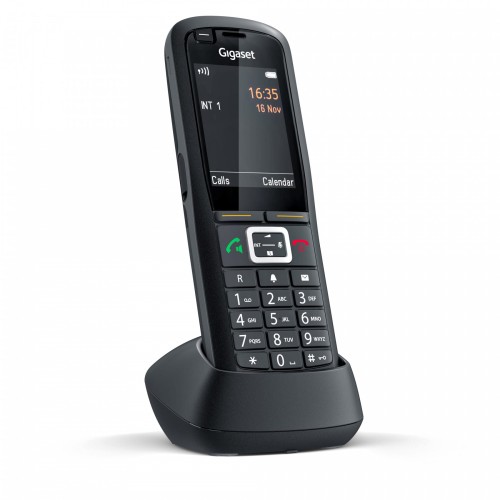
Gigaset R700H PRO
Gigaset R700H PRO
This powerful business phone is ready for any challengeThis cordless phone can of course also be used in the office: It is comfortable in the hand and its excellent sound quality is a standout feature. The appealing design with non-slip surface, the large colour display and the excellent battery are also plus points for this device.
But the Gigaset R700H PRO unfurls its entire potential in the day-to-day work environment: The phone is water-repellent and dust-proof. Impacts and scratches stand little chance. In conjunction with a Gigaset Multicell system, it provides flexibility and full mobility freedom over the entire company premises.
Price $167.96Price $136.55without VAT -
Bestseller
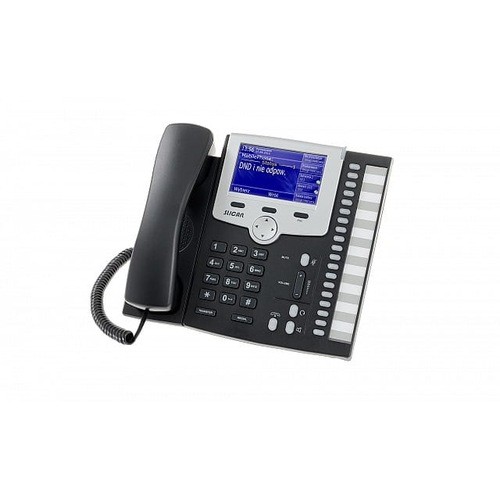
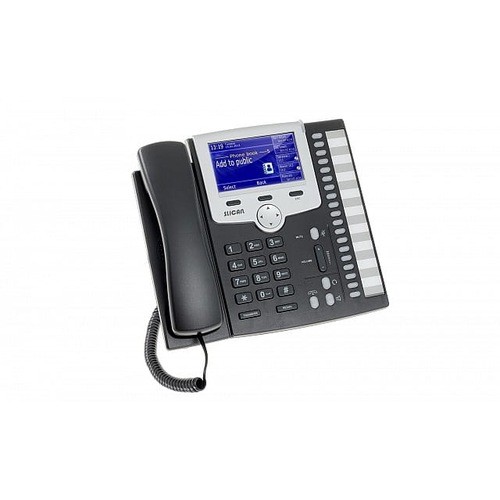
SLICAN CTS-330.IP
Slican CTS-330.IP jest telefonem systemowym IP dla firm wymagających zaawansowanego systemu telefonicznego oraz efektywnego zarządzania połączeniami i kontaktami. Z telefonu można korzystać natychmiast po włączeniu go do sieci, bez skomplikowanego i czasochłonnego programowania.
Price $242.89Price $197.47without VAT


